Command List
Point Edit
 SymmetricCrv - Aligns a curve’s control points symmetrically.
 SymmetricSrf - Aligns a surface’s control points symmetrically.
 SymmetricDiagonalSrf- Aligns a surface’s control points symmetrically along a diagonal direction.
 SetPtLinear– Aligns control points linearly based on a construction plane.
 SetPtLinear3D - Aligns control points in a straight line in 3D space.
 SetPtToCrv - Aligns control points to the closest points on a curve.
 SetPtToFitPlane - Positions selected control points onto their average plane.
 ControlPoint2KinkCrv - Converts control points on a curve into kinks.
 ControlPoint2KinkSrf - Splits a surface along rows of control points.
 ChangeDegreePtCrv - Changes the degree of a curve while maintaining the position of its control points.
 ChangeDegreePtSrf- Changes the degree of a surface while maintaining the position of its control points.
Curve
 CirclesAlong2Crvs - Creates circles tangent to two curves, arranged to be tangent to each other along the curves.
 ExtendMulti - Extends multiple curves to a selected boundary object.
 ExtractIsocurvesDivide - Extracts isocurves from a surface based on spacing, distance, or number.
 Farthest2PtsInCrv - Finds the two farthest points on a single curve.
 FilletCornerCutting - Creates an arc fillet through the corner point of a curve.
 FilletCornerCuttingAll - Applies an arc fillet of the set radius to every corner of a curve at once.
 FilletSmooth – Draws a curve similar to a round shape with G3 curvature between two curves.
 FitCrvLength - Modifies a curve to match a target length while keeping endpoints.
 FlowMulti - Repeatedly applies the Flow command to multiple target curves.
 FullRoundCrv - Creates a full-rounded arc at the ends of a polyline with three segments.
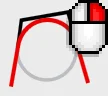 FullRoundSmooth - Creates a full round arc at the end of a polyline with 3 segments, maintaining G3 continuity.
 PolylineSplit2Crvs – Converts a polyline into curves while preserving its shape as much as possible.
 PolylineToCrv – Creates a curve using the points of a polyline.
 RevCloudsBySketch – Draws cloud-shaped revision marks using the sketch command.
 RebuildCrvCountByLength - Rebuilds a curve based on control point spacing.
 RoundedRectangle – Creates a rectangle with fully rounded ends.
 RoundedRectangleSmooth – Creates a rectangle with both ends smoothly rounded (full rounded) using G3 continuity.
 UnrollCrv – Draws a straight line with the same length as a curve.
 CastVectorShadow – Creates an outline curve of a shadow cast in a specified direction.
 Match2CurveEndsByRotate- Rotates two curves for their closest endpoints to meet.
 LineNormalToMesh – Draws a line in the normal direction of a mesh.
 EndBulgeG3 – Modifies the shape of an open curve by dragging control points while maintaining up to G3 continuity at both ends.
 FairCrvPts - Fairs curves while keeping their control point count, degree, and knots intact. End continuity can be maintained up to G3.
 MatchG3- Matches a curve end to another curve up to G3 continuity.
Surface
 SphereDeformable – Creates a deformable spherical (revolved) surface.
 UntrimAllP – Applies the UntrimAll command to multiple objects.
 ExtendSrf4Sides – Extends a surface in four directions from its edges.
 FairSrfPts – Fairs surfaces while keeping their control point count, degree, and knots intact. It removes ripples while maintaining up to G3 continuity with adjacent surfaces across every edge.
 MatchSrfG3 – Matches surface edges to another surface edge up to G3 continuity.
Solid
 BooleanDifferenceMulti - Performs Boolean Difference sequentially on multiple objects, leaving failed objects.
 BooleanUnionSubSrfs– Performs a Boolean union based on polysurface sub-surfaces.
 BooleanUnionMulti – Performs Boolean Union sequentially on multiple objects, leaving failed objects.
 ExtendExtrusions – Extends extrusion objects to boundary objects.
 SolidCutByCrv- Cuts a solid with a closed curve.
Annotation
 CircleCenterPoints – Displays the center coordinates and radius of a circle.
 DimBoundingBox - Creates a bounding box to fit the object's shape and displays X, Y, Z dimensions.
 DotZ Displays the Z-value (height) at a specified location as a Dot.
 DotSerial - Creates Dots with sequential numbers.
 LengthCrvs - Displays the length of all selected curves.
 Merge2LinearDimensions – Merges two linear dimensions into one.
 MinMaxDistance2Crvs – Displays the maximum and minimum distances between two curves.
 ThirdAngleLayout – Arranges objects in a third-angle projection relative to the construction plane.
 AddLayouts – Creates layouts based on the boundaries of selected objects.
 LayoutSameScale - Adds a 4-view layout with the same scale.
 TextSymbols – Copies Unicode symbol characters to the clipboard.
 AddCallouts – Creates numbers on objects and changes their style.
File
 ExportEachLayer – Saves(exports) files by layer.
 ImportFilesinFolder – Imports all files within a specified folder.
 WorksessionMerge - Merges worksession files into a single file.
 PrintTextContents - Allows checking the contents of Text, Dot, and Dim at once, and copying or exporting them.
 ExplodeBlockInSameLayer – When exploding Block Instances, objects remain on their original layers.
 MergeLayers – Merges multiple layers into a single layer.
 ImagePacker : Extracts and consolidates scattered texture and image resources into a single folder.
Transform
 Copy2pts - Copies objects from a base point to the coordinates of an entered point object.
 MoveToZLevel – Moves objects to a specified Z-level height.
 MoveToZPt - Moves objects to the height of a base point.
 OrientByFace - Orients objects from a base surface to a target surface.
 OrientByFlatFaceToXY - Aligns a component with a flat face to the XY axes.
 Rotate3DIntersect – Rotates objects in 3D around an intersection point.
 SplitPlanar - Cuts selected objects in a specified direction.
 SubLayersByGroup - Creates layers by dividing selected objects into groups.
 TransformObjects - Transforms objects(e.g., high-volume mesh data) with move, rotate, and mirror options. Useful for transforming large scan data.
 TrimBox – Displays objects trimmed by a box. The trimmed area updates with box transformations.
 Randomize - Randomly moves, rotates, scales, or changes the color of multiple objects.
 AlignPanel - A panel for aligning and distributing along each axis.
 AlignPanelOff - Closes the align panel display window.
Modeling
 ArrowsByCrvs – Creates various arrow geometries.
 LawnGrassMesh – Creates lawn grass mesh objects for rendering.
 LookAt - Aligns inserted look-at block objects to face the camera.
 LookAtInsert - Adds a look-at block object.
 LookAtLoadDefault – Loads default included look-at block objects.
 LookAtParallel – Aligns look-at objects parallel to face the camera.
 LookAtProjectZ – Aligns look-at block objects onto a specified object.
 LookAtSel – Selects all look-at objects identical to the selected object.
 LookAtSelAll – Selects all look-at objects.
 LookAtSelName - Selects look-at objects by name.
 LookAtSetBlock – Sets a look-at object block.
 mkButtons – Creates button shapes suitable for curved surfaces from closed curves.
 mkButtonsDome – Creates dome-shaped buttons suitable for curved surfaces from closed curves.
 mkEngrave – Creates embossed or debossed protrusion shapes on curved surfaces from closed curves.
 mkGraphics – Creates a surface offset from a curved surface using a closed curve.
 StepExtrude – Specifies the lowest point to create stepped height extrusion shapes based on contour lines.
 PipeSmooth – Creates a pipe that smoothly connects cross-sectional changes.
 ExtractJoinedRenderMeshByGroup - Extracts and combines render meshes of objects by group.
Display, Settings
 SetAbsoluteTolerance – Quickly changes the absolute tolerance.
 BackgroundColor – Changes the viewport background color.
 BackgroundColorDefault – Changes the viewport background color to the default.
 ClippingPlaneNormal - Creates a clipping plane normal to a surface.
 GradientObjectColor - Displays selected objects with a gradient color between two chosen colors.
 SlideForward /
 SlideBackward- Switches between named views in alphabetical order.
 SlideCurrent – If the viewport has been manipulated while a Named View is saved, returns to the saved view.
 ObjColor2MatColor - Creates a material with the same display color; if the display standard is by layer, creates a layer material.
 ObjColorAsMatColor– Applies the material color as the display color.
 SyncDisplayModes - Sets display modes to be identical.
 LayerOnByObjects – Turns on only the layer of the selected object and turns off others.
 ExplodedView – Moves selected objects simultaneously to create an exploded view.
 SelRandom– Randomly selects objects by ratio or count.
 FullscreenNoTitleMax– Display fullscreen without the viewport title.
 ObjectColor– Changes the object display color.
 ObjectColorFromLayer – Changes the object color to the layer color.
 RandomizeLayersMaterialColor – Randomly sets layer material colors or changes them to display colors.
 SelSameDots – Finds identical text within the content of selected Dots.
 SelDotsByContent – Finds similar or exact matching content within the selected Dots.
Analyze
 CountObjects - Counts objects by name, layer, and material.
 DistanceBetween2Faces – Displays the distance between two faces.
 DistancePt2Objs – Measures the distance from a base point to a surface.
 VolumeOverlapped - Calculates the approximate volume of overlapping parts without Boolean union.
 WeightSolid – Calculates the weight of a solid object. Specific gravity (density) can be pre-set by material.
 WeightOverlapped – Calculates the approximate weight of overlapping parts without Boolean union.
 WeightDensity – Edits and saves material density settings.
 SetDensity – Used to add material, density, and weight information to the table content within the Callouts command.
 BalanceSim - An all-in-one physics simulation tool that analyzes overturning and structural collapse of solid models under external loads.
Help
 byRhinoGadgetHelp – Opens the byRhinoGadget help page.
 byRhinoHome – Opens the official byRhino homepage.